Planned Major Features After Version 1.0
We have completed the major feature development for version 1.0 and are now focusing on making it more stable and user-friendly before its public release.
We are also planning for version 1.1 and beyond. Here are some of the major features we are considering for upcoming versions.
Project Dashboard in Gantt View
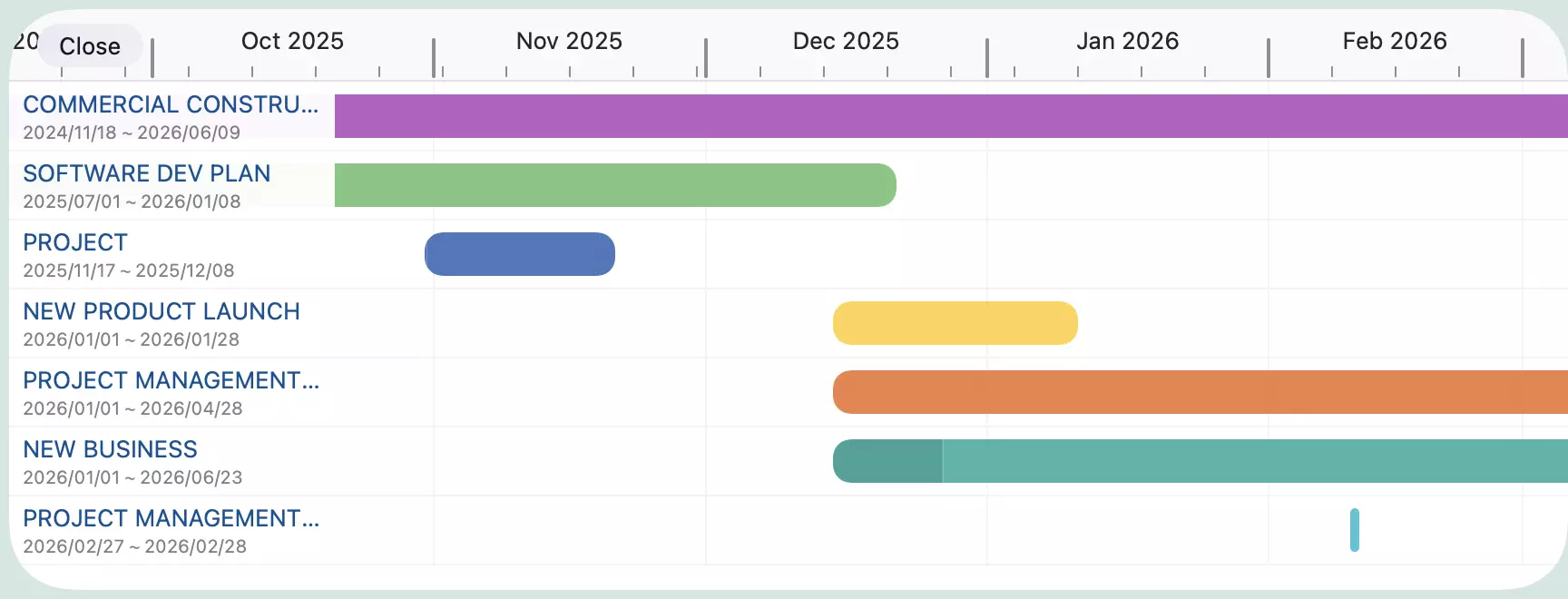
Currently, QuickPlanX displays all your projects in a grid view, which works well for managing your projects. However, we are considering adding a Gantt view to the project dashboard — each project would be displayed as a bar in the Gantt chart, giving you a clear timeline overview of all your projects at a glance.
In-Progress Tasks
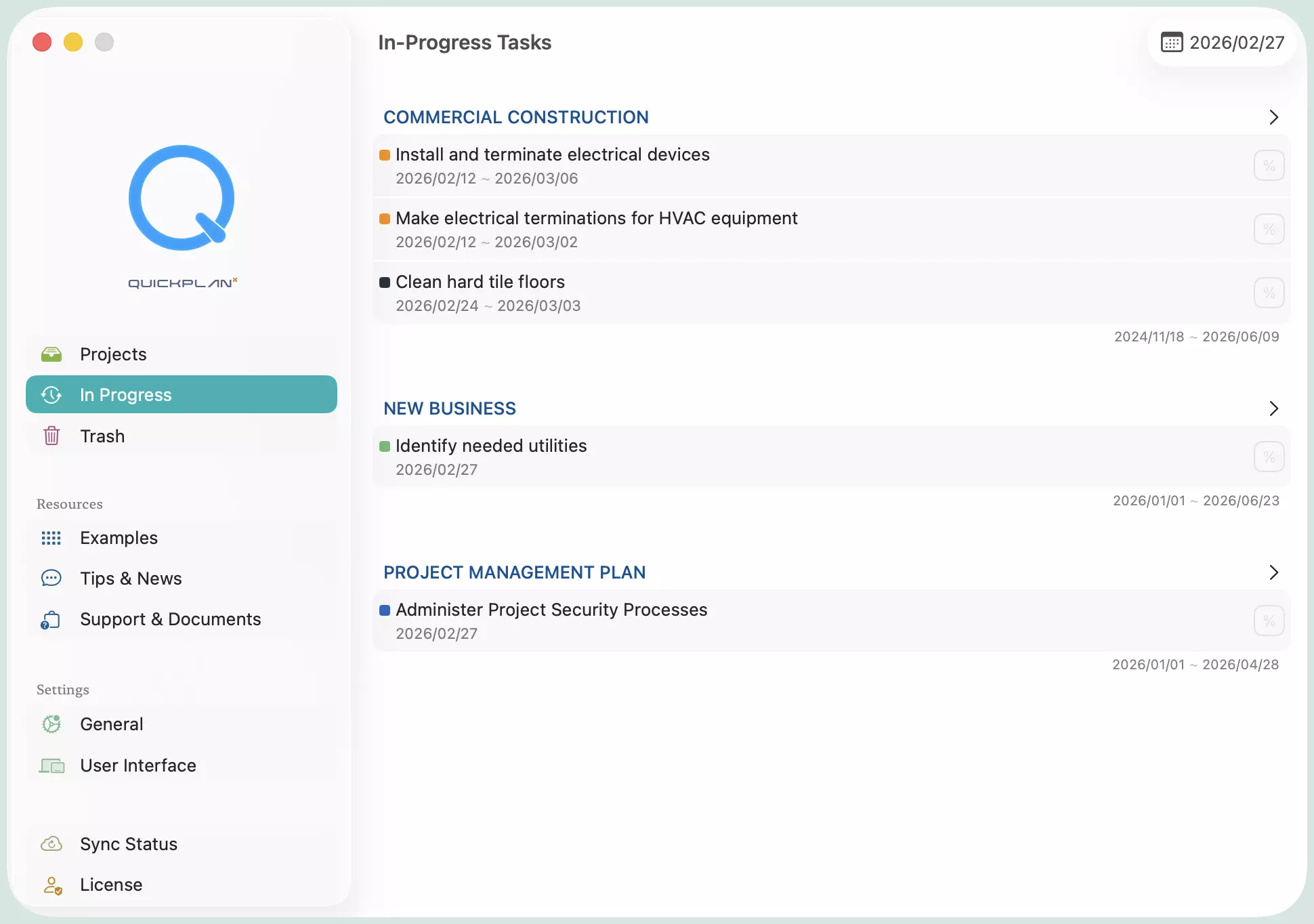
We plan to add a new view in the welcome window that lists all in-progress tasks across all your projects. Clicking a task will open the corresponding project and navigate directly to that task in the Gantt chart. This will be especially useful for users managing multiple projects who want to quickly see everything that's currently in progress.
Status Day
This feature lets you select a specific day and see all tasks that are behind schedule. You can then bulk-update the status of those tasks to their planned completion rate, or adjust their start dates to better align with the plan. It's designed to help you quickly assess project health and make the necessary adjustments with minimal effort.
We'd Love Your Feedback
The features above are some of the ideas from our backlog — ones you may be interested in or have been waiting for. We always welcome your feedback and suggestions. Please feel free to contact us.
Update — July 2026
We are happy to report that all three features described in this post have now shipped:
- Project Dashboard in Gantt View — delivered in QuickPlanX 2.0.
- In-Progress Tasks — delivered in QuickPlanX 2.0.
- Status Day — delivered in QuickPlanX 3.0.
Thank you to everyone who shared feedback and encouragement along the way. Stay tuned for what comes next.